01 · What had failed
The first version stopped before the work was actually done.
The original feature helped dispatchers create an email from DAT so they didn't have to copy and paste load deatils, but they still had to leave the product to finish and send it. That extra handoff made the feature easy to ignore, and early usage showed it wasn’t gaining traction.

02 · The problem we had missed
The problem wasn't copy and paste. It was context switching.
Paid plugins worked because they pulled load details into an email and let dispatchers act quickly. When I talked with dispatchers and watched how they worked, the pattern was clear. One person could be managing 7 to 13 trucks while jumping between DAT, email, spreadsheets, broker boards and phone calls. If email was going to be useful, it needed to remove one of those jumps instead of adding another.
.jpg)
.jpg)
.jpg)
.jpg)
.jpg)
.jpg)
.png)
Watching dispatchers work made the problem much easier to see. Multiple screens, multiple tools and several trucks were all competing for attention.
Research that informed the rebuild
03 · Changing the constraint
Instead of improving the workaround, I questioned why we needed it.
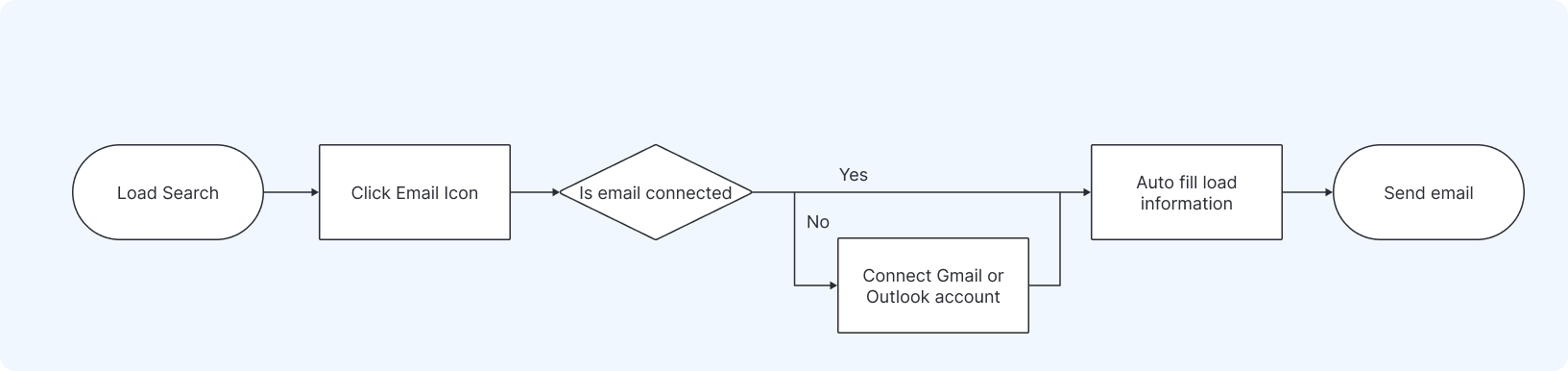
The first feature had been built around the assumption that users would have to leave DAT to send the email because of security concerns. Instead of polishing that handoff, we brought the problem back to security and backend engineering. Together we found a secure way to connect Gmail and Outlook so users could send from their own account without extra steps.
Once we knew a direct connection was possible, the question became how to make it fast without creating new trust or security problems. We focused on three things: who the email could go to, who actually sent it and how much work DAT could remove for the dispatcher.
Verified broker email
The email could only go to the verified broker address tied to the load, which helped reduce fraud risk.
User’s own account
Gmail or Outlook sent the message through the connected account. DAT did not need to read or store the user’s email content.
Load details included
Broker and load details were filled in automatically, so users did not have to choose a template or copy and paste the information themselves.
04 · What we built
A connected flow, built quickly with design and engineering working side by side.
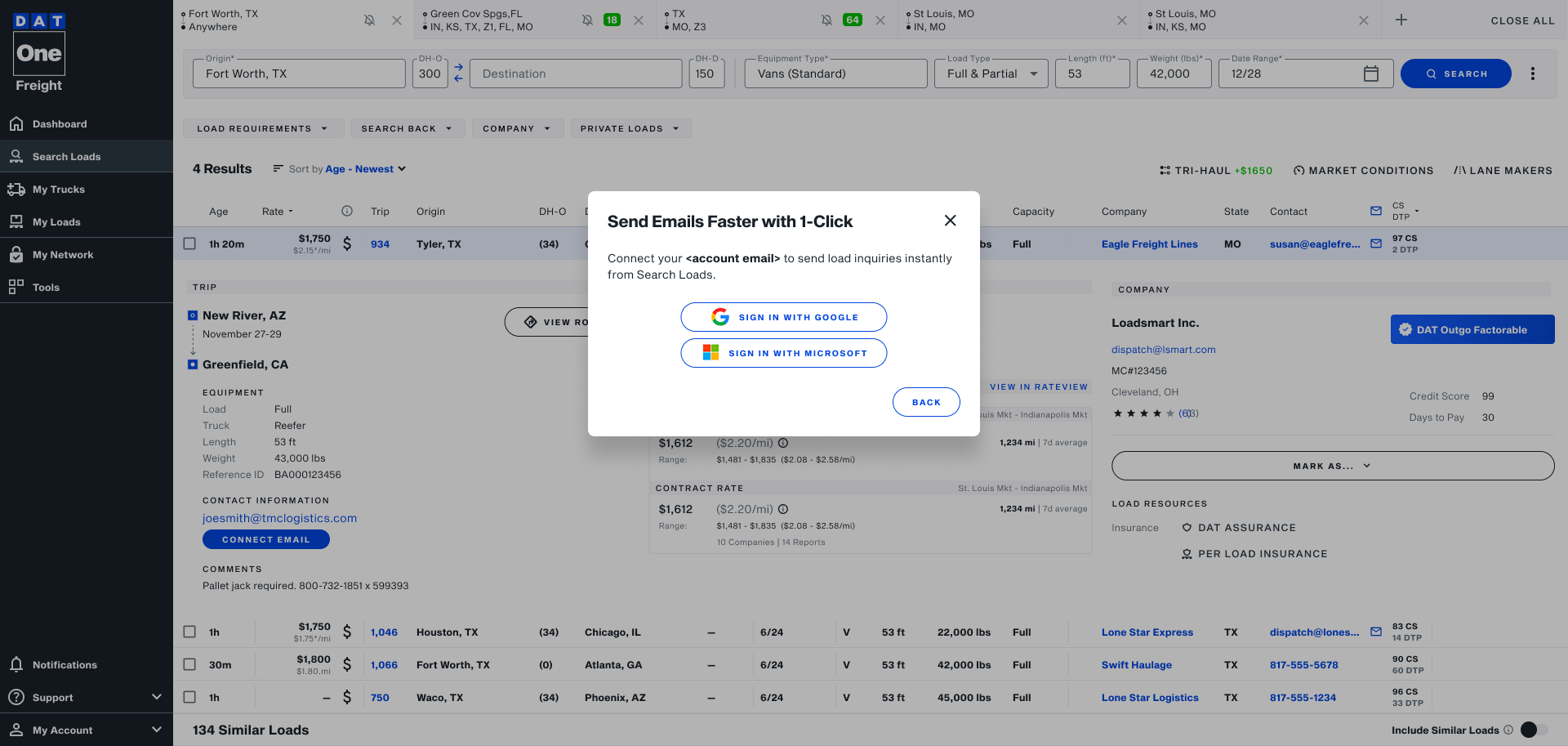
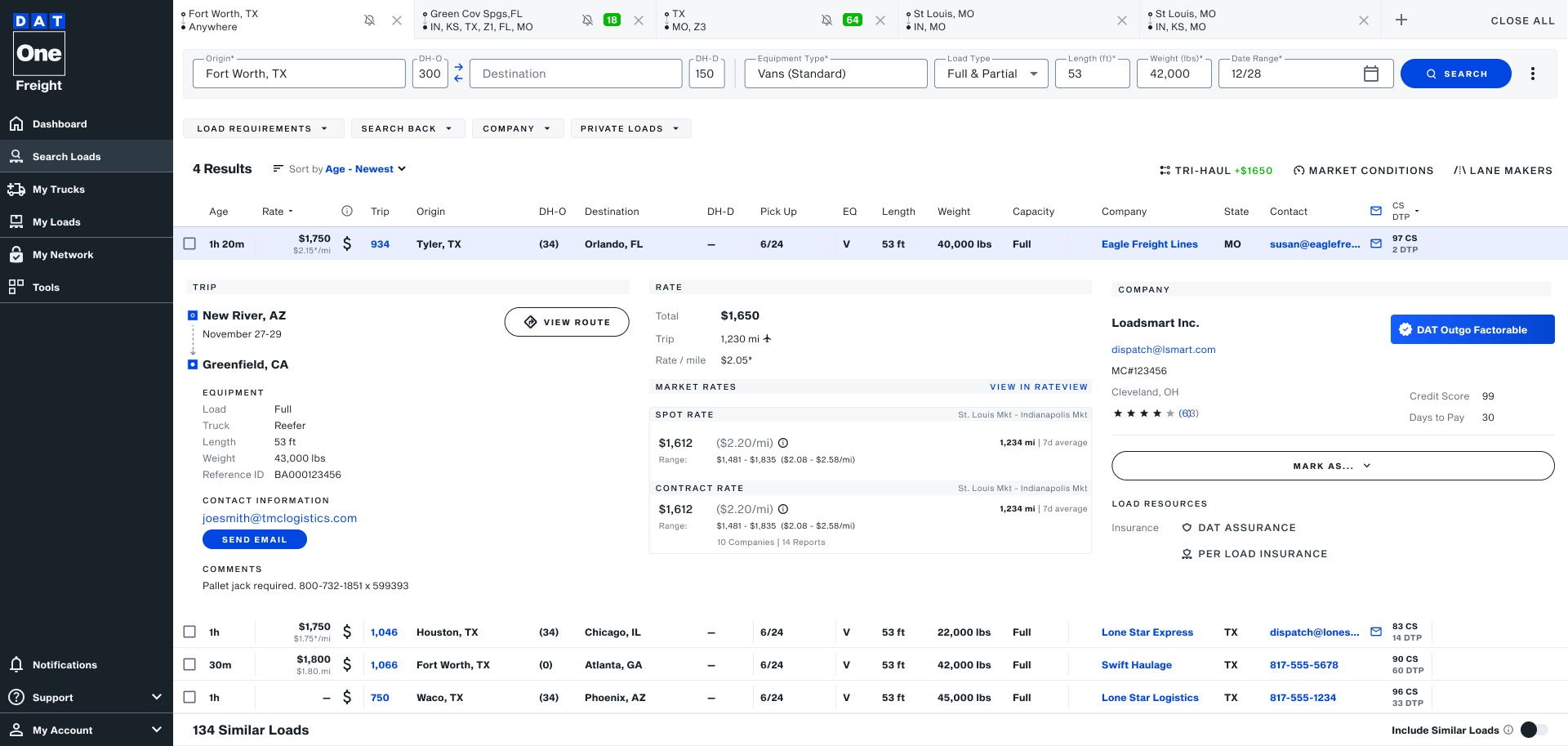
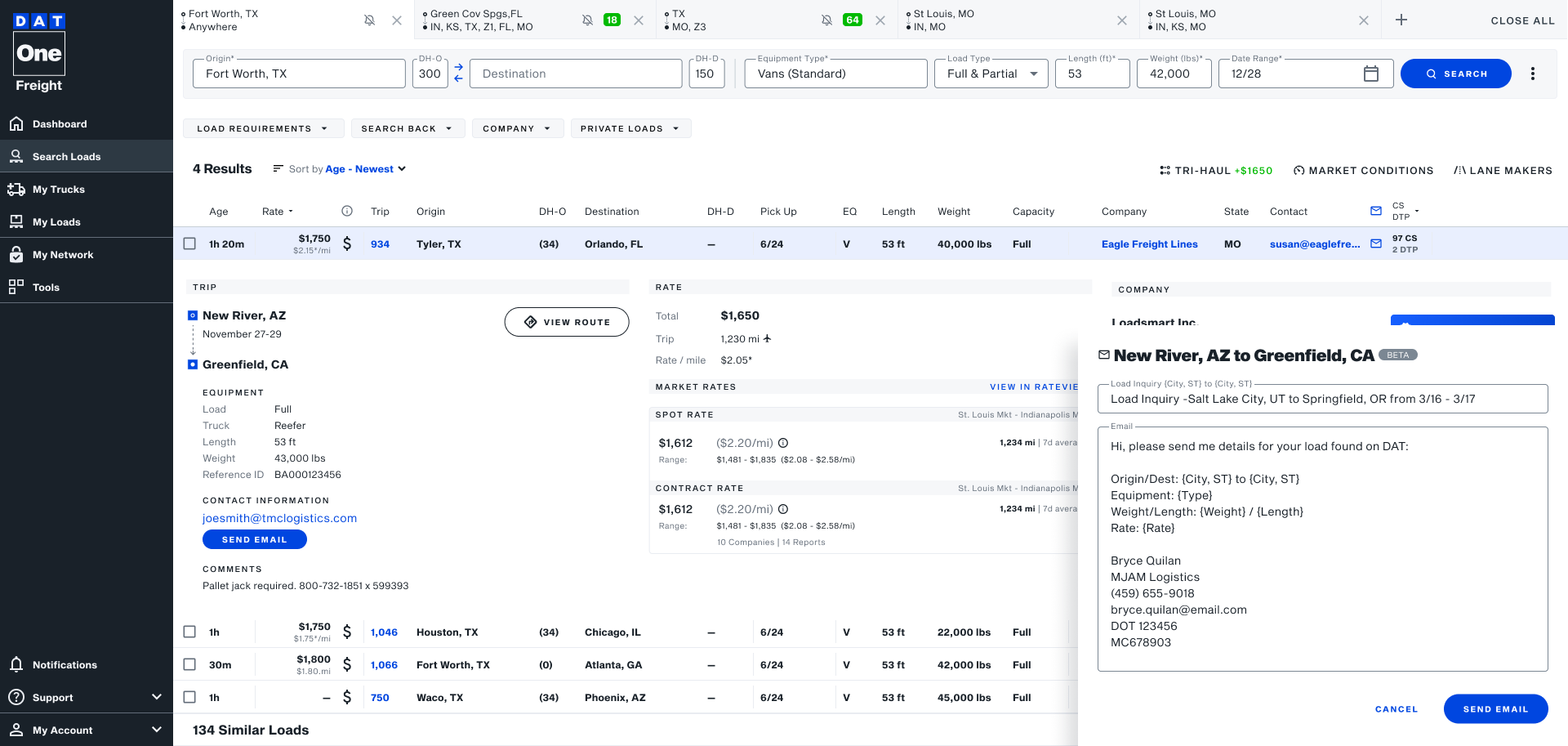
I gave the front-end engineers a small set of key screens, interaction guidance and the design rules that mattered most. They used Claude Code to build out the experience, and we worked in tight loops with frequent check-ins, design reviews and pull request feedback to make sure the final experience still matched the intent.
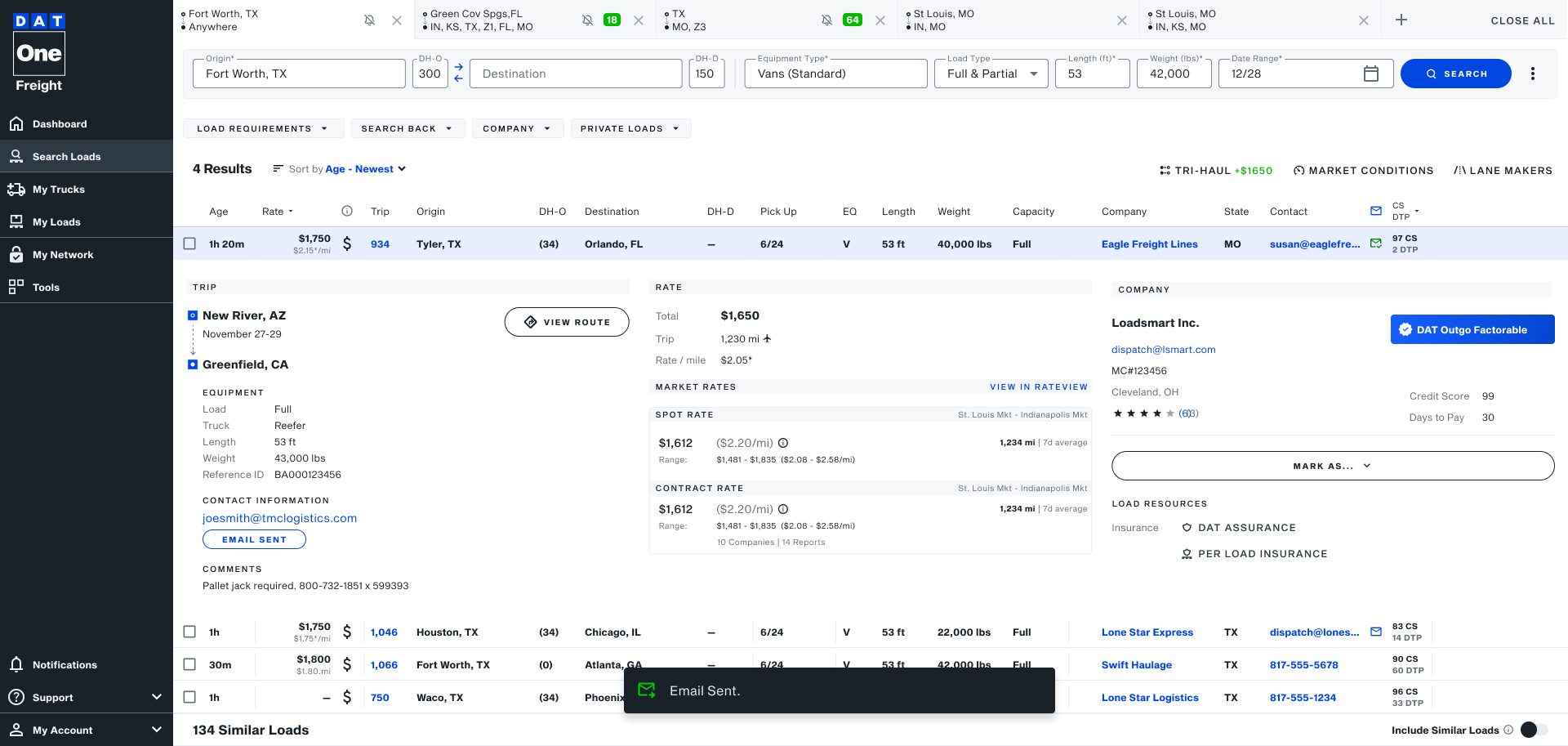
How we moved fast
Design direction first, then tight build-and-review loops.
Instead of fully designing every state before engineering started, I gave the front-end team the core screens and interaction guidelines they needed to move. They used Claude Code to build quickly, while I stayed involved through frequent check-ins and pull request reviews to catch visual and interaction issues as the experience came together.
05 · What happened
The feature went from barely used to thousands of sends.
The first version had only 11 sends. After connecting Gmail and Outlook directly to DAT One, users sent more than 10,000 emails in the first few days. We also added an in-product CSAT, which resulted in a 4.2, and gave us the evidence we needed that email was worth continuing to invest in.
11 → 10,000+
Emails sent from the old experience compared with the first days after the new updates.
4.2 CSAT
Using AppCues, an in-product pop-up feature that let us connect to users with no development work, showed users had high satisfaction with the new feature.
Worth investing in
The overwhelming success of the launch gave us the evidence that connected email was solving a real world problem and was worth continuning to build on.
06 · What came next
Once the core workflow worked, users started asking for more.
The feedback changed after launch. Instead of struggling with the basic flow, users were asking for ways to make email faster and more useful for the way they already worked. That gave us a much clearer direction for what should come next.
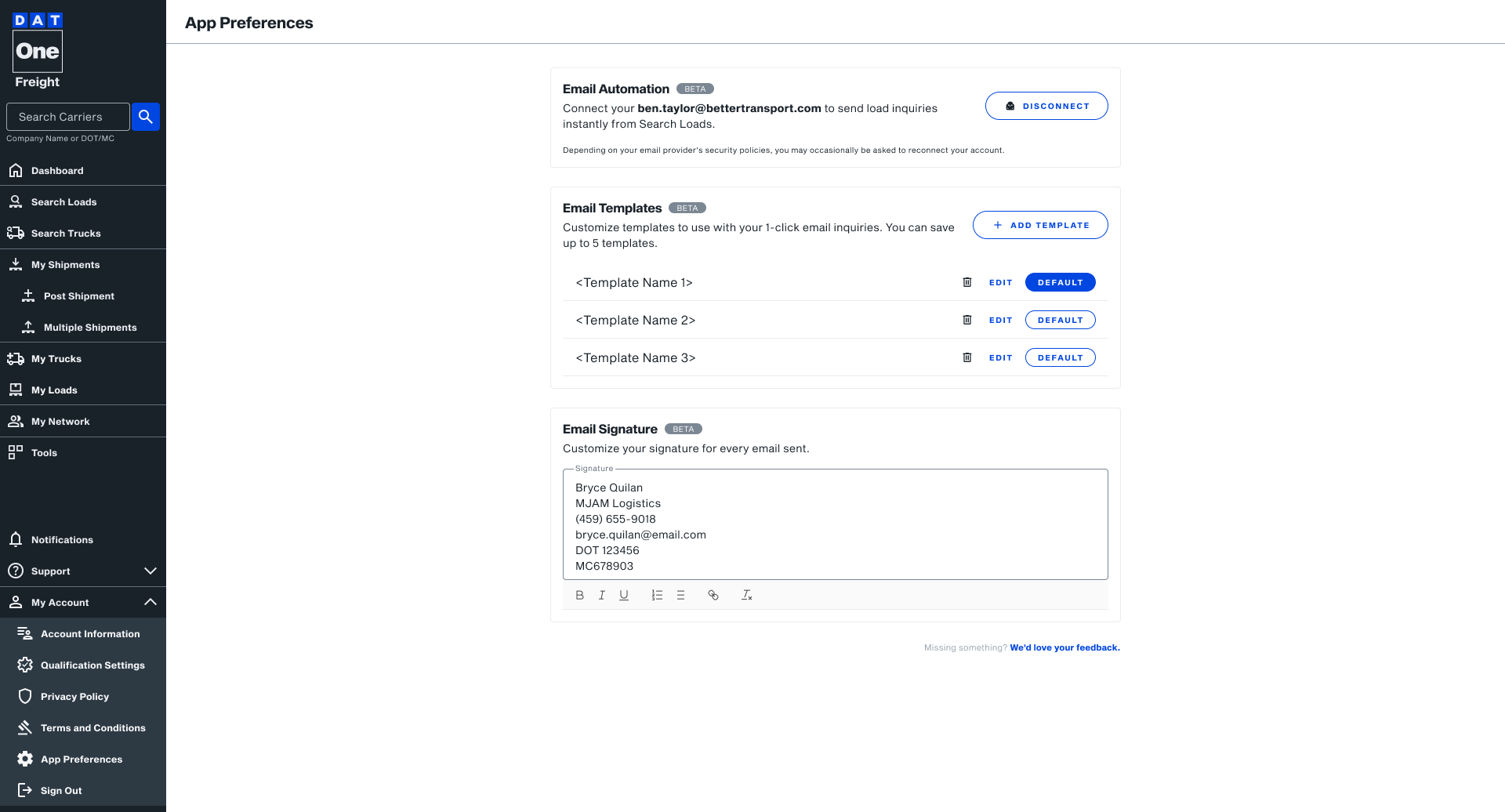
Better signatures
Users wanted richer signatures with logos, images and the details they normally included in broker emails.
Reusable templates
Dispatchers often sent similar messages throughout the day and wanted a faster way to reuse them.
Richer editing
Users wanted more flexibility to format and adjust the email before sending it.
07 · Leasons Learned
The first version technically worked. The second version worked with the way dispatchers actually worked.
This project reminded me that a workflow can make sense on paper and still be wrong for the people using it. The biggest change didn’t come from polishing the original idea. It came from watching dispatchers work, questioning a constraint we had accepted and working closely with engineering to try something better. Once we removed the tool switching, the difference showed up almost immediately in how people used it.